Data Analytics Training in Chennai 2026: Internship-Integrated Excel, MySQL, Power BI, Tableau, Python Programme by Aspire Techsoft
Short answer: the Data Analytics course in Chennai at Aspire Techsoft is a roughly four-month programme in which every class ends with a working output — a cleaned file, a SQL query, a dashboard or a Python notebook — and those outputs grow into 5+ portfolio projects.
Chennai combines the OMR IT corridor, the Guindy–Porur tech parks and a major automotive and electronics manufacturing belt to the west. Few cities let analysts move between BFSI, SaaS, healthcare and manufacturing data without relocating.
The analyst toolkit of 2026 mixes classic skills with AI help: Excel and SQL still carry daily reporting, Power BI and Tableau carry dashboards, and assistants such as Copilot, Gemini, ChatGPT and Claude speed up the routine parts. Teams around OMR (Perungudi – Sholinganallur – Siruseri) work this way, and our lessons follow the same mix.
Put simply, data analytics means turning messy records into clear answers: you gather data, fix its errors, explore patterns and present findings that a banking manager can act on.
A typical Chennai analyst pulls data with SQL, shapes it in Excel or Python, builds a dashboard in Power BI or Tableau and writes a short summary of what changed and why.
In Chennai, BFSI capability centres on OMR use analytics for risk, operations and customer metrics; SaaS companies track product usage and renewals; automotive and electronics plants in Sriperumbudur and Oragadam monitor quality and output; and hospital chains study patient flow and treatment outcomes.
Large language models have become an analyst's co-pilot for formulas, code and narrative — useful only when the person using them understands the data underneath.
BE, BTech, BSc and BCom graduates from Chennai's colleges who want analytics roles at GCCs or SaaS firms.
IT support, testing and operations staff on OMR or in Guindy who want to move into SQL and BI work.
Engineers and quality staff from Sriperumbudur and Oragadam plants who want to apply data skills to manufacturing.
Analytics basics: data types, sampling, averages, spread and correlation for business problems
Excel for analysts: XLOOKUP, dynamic arrays, Power Query, Power Pivot and Copilot prompts
SQL and MySQL: joins, subqueries, window functions, CTEs and views
Power BI reporting: connecting sources, modelling, DAX, drill-through and scheduled refresh
Tableau visual analytics: charts, filters, table calculations, LOD and storytelling
Python for Data Analytics: pandas, NumPy, Matplotlib, Seaborn and EDA notebooks
Large Language Models in practice: AI-assisted SQL, Python and reporting, and an introduction to AI agents
A long IT corridor on OMR packed with capability centres offers structured analyst roles with global exposure.
A strong SaaS ecosystem creates product, growth and revenue analytics roles.
The Sriperumbudur–Oragadam manufacturing belt needs quality, supply and production analysts.
Healthcare and medical-tourism providers hire for patient and operations analytics.
Chennai employers often favour long-term hiring and in-house training for juniors.
Aspire Techsoft's data analytics institute in Chennai links lessons, internship work and placement assistance so you do not have to piece them together yourself.
Our Data Analytics Course with Placement Assistance in Chennai includes portfolio reviews, interview practice and job referrals.
Sessions are run by practitioners who build dashboards and data models for SaaS clients, which means feedback reflects real review standards.
The internship-integrated track hands you tickets, deadlines and stakeholder feedback, much like a first analyst job.
If travel is hard, Data Analytics online training in Chennai gives learners in Tambaram, Avadi, Chengalpattu, Kanchipuram and Velachery the same classes in real time.
Every query and notebook you submit is reviewed for correctness, readability and performance.
The syllabus is checked against current Chennai job postings for Excel, SQL, Power BI, Tableau and Python.
Special practice rounds on data cleaning and reconciliation mirror the take-home tasks many firms set.
Choose weekday, weekend or accelerated batches depending on your college or office hours in Chennai.
Session recordings and weekly doubt-clearing calls help you catch up after a busy week.
Finish the projects and assessments to receive an Industry-Recognized ISO Course Completion Certificate from Aspire Techsoft.
You will work daily in Microsoft Excel with Power Query, MySQL Workbench, Power BI Desktop and Service, Tableau Desktop and Public, Python in Jupyter or VS Code, and GitHub — the same kit used by analytics teams across Chennai.
Guided labs with Copilot, Gemini, ChatGPT and Claude show where LLMs save time and where they make confident mistakes.
Monday starts with product-usage data from the previous week loaded into the warehouse.
Analysts write SQL to calculate active users, feature adoption and trial-to-paid conversion.
Event data with missing user IDs or duplicate sessions is cleaned in Python.
A Tableau or Power BI dashboard tracks churn and expansion revenue by plan.
Product managers ask why a new feature has low adoption; you segment users and find the drop-off step.
Claude helps draft the analysis note, and you verify every metric before sharing.
The customer-success team requests an at-risk account list built from usage signals.
Friday's sync uses your dashboard to decide which experiments to run next.
The capstone follows the same rhythm, which makes your first sprint at work far less of a surprise.
AI assistants now generate first-draft formulas, DAX measures and chart suggestions in seconds.
LLMs such as ChatGPT, Claude and Gemini are good at drafting code and narrative, and poor at knowing your business rules unless you state them.
Chennai interviewers ask how you verify AI output: row counts, spot checks, reconciliation with source totals and peer review.
You will practise anonymising sensitive fields before using any AI assistant, a point many Chennai employers check.
These AI topics come after the core modules in the Chennai programme, so you can judge AI output with confidence.
Automation is trimming manual report work, which moves the analyst role toward problem framing, data quality and communication.
Chennai GCCs and SaaS companies are building AI features into their products and operations, so they hire analysts who understand the underlying metrics well enough to test whether AI-driven changes actually help customers.
What this means for Chennai learners:
Strong SQL is still the single biggest filter in analyst shortlists.
At least one BI tool — Power BI or Tableau — is expected in OMR (Perungudi – Sholinganallur – Siruseri) roles, and knowing both widens your options.
Basic Python lets you automate repeated work and handle larger datasets.
AI-assisted analysis — with verification — is now written into many job descriptions.
Domain knowledge — say of banking or SaaS — often decides the final round.
Clear written communication counts, especially with remote or senior stakeholders.
Our Chennai course is designed to keep you learning well after the final class.
Formula and PivotTable help from Copilot in Excel
DAX suggestions and page summaries in Power BI Copilot
Quick clean-up and summaries with Gemini in Sheets
Exploratory analysis of uploaded files in ChatGPT
Code review and documentation with Claude
Prompt templates for recurring reporting questions
Python snippets drafted by LLMs and unit-checked
Responsible AI rules for client and customer data
Agentic AI concepts for automated reporting pipelines
Side-by-side checks of AI answers against source data
Across India, most 2026 salary trackers place fresher data analysts between ₹3.5 and ₹6 LPA, and Glassdoor's mid-2026 national average base pay sits near ₹6.5 LPA.
In Chennai, fresher analysts typically start around ₹3.5–6 LPA; GCCs and SaaS companies often pay toward the top, while plant-based roles may start lower but offer fast domain growth.
With 2–4 years of SQL, BI and Python experience, analysts commonly move into the ₹8–15 LPA range nationally, and leads go higher; Chennai offers track the local bands shown below.
Numbers move every quarter, so review live Chennai data analyst listings on Naukri before any salary discussion.
Chennai's analyst roles come from BFSI, insurance and healthcare capability centres along OMR and in Guindy; SaaS and product companies headquartered in the city; large IT services firms with analytics practices in Porur, Perungudi and Siruseri; automotive and electronics manufacturers in Sriperumbudur and Oragadam; and hospital chains and logistics firms. Aspire Techsoft's placement assistance tracks openings across these groups.
Request for Course Information
Course Syllabus
Download SyllabusPython Basics: Learn to Code
- Introduction to Python Programming
- Basic Data Types in Python
- Variables and Naming Conventions
- Data Types in Python
- Data Structure
- Python String Object
- Python List and Tuple Objects
- Python Dictionary Object
- Python Set Object
- Indexing & Slicing
- Importance of indexing in Python
- Introduction to Slicing
- Indexing and Slicing in Strings
- Indexing and Slicing in Lists and Tuples
- Operators in Python
- Arithmetic Operators
- Comparison Operators
- Logical Operators
- Assignment Operators
- Membership Operators
- In-Built Functions & Methods
- Exploring Built-in Functions
- Use Built-in Functions with data types
- Introducing Built-in Methods for specific data types
Python Control Flow Simplified
- Statements, Indentation and Conditionals
- Statements and Indentation
- Introduction to Conditional Statements
- Combining Multiple Conditions
- Loops & Iterations
- Conditional Loops (While Loop)
- Conditional Loops (For Loop)
- Master ‘for’ loops, Learn ‘while’ loops
- Comprehend loop control statements
- Explore nested loops
Building Smarter Programs
- Custom Functions in Python
- Introduction to Custom Functions
- Defining and Calling Custom Functions in Python
- Working with Arguments and Return Values
- Advanced Looping Concepts
- List Comprehension
- Set Comprehension
- Dictionary Comprehension
- Lambda Functions
- OOPs in Python
- Introduction to Object-Oriented Programming (OOPs)
- Creating and Working with Classes
- Understanding Objects and Instances
- Working with Attributes
- Utilizing Methods in Classes
- Embracing Polymorphism
- Leveraging Inheritance
- Exception Handling & Logging
- Introduction to Exception Handling
- Try-Except Block: Catching Exceptions
- Handling Specific Exceptions
- Finally Block: Cleaning Up After Exceptions
- Raising Exceptions: Taking Control
- Handling Multiple Exceptions: The Exceptional Mastery
Numerical Programming in Python
- Python Data Structures and Algorithms
- Data Structures Fundamentals
- Introduction to Data Structures
- Arrays
- Efficient String Operations
- Introduction to Strings
- Combining strings using concatenation (+)
- Searching and Finding
- Introduction to regex
- Recursion Fundamentals
- Understanding Recursion: Introduction and Basics
- Recursive Function Design
- Implementing Recursion in Algorithms
- Analyzing Recursive Calls
- Mastering Recursion Concept
- Time and space complexity
- Algorithm Fundamentals
- Introduction to Algorithms
- Big O Notation
- Sorting Algorithms
- Searching Algorithms
Python Data Wrangling
- Getting Started with Pandas & Numpy
- Introduction to Pandas & Numpy
- Mastering Data Wrangling
- Series and dataframes
- Indexing and slicing
- Manipulating data
- Advanced Data Wrangling Concepts
- Introduction to Data Wrangling
- Handling Missing Data
- Merging and Joining Data
- Grouping and Aggregation
- Reshaping Data
- Filtering Data
- Data Wrangling – Code Optimisation
- Techniques for Code Optimization
- Strategies for Parallel and Distributed Data Wrangling
- Best Practices for Efficient Data Wrangling
- Data Wrangling on Different Data Formats
- Data Wrangling on Different Data Formats
- Data Management Libraries
- File Management Libraries
- Data Manipulation Libraries
- Data Visualization Libraries
- Web Scraping
- Regular Expression Libraries
- Date and Time Libraries
- Web Scraping using Python
- Introduction to Web Scraping
Python Visualization Libraries in Action
- Data Visualization with Matplotlib & Seaborn
- Introduction to Matplotlib and Seaborn Plots
Introduction to SQL: Learn the Language of Data
SQL Basics for Data Analysis
- Introduction to SQL
- Setting up the SQL environment
- Basic SQL Commands
- Creating and Deleting Databases and Tables
- Importing and Exporting Data from CSV Files
Fundamentals of SQL Query
- Anatomy of SQL Query
- SQL Data Types and Operators
- Filtering and Sorting Data in SQL
- Aggregate functions in SQL
Dealing With Multiple Tables
- Grouping Data – GROUP BY
- HAVING
- Subqueries
- Joining tables using INNER JOIN, LEFT JOIN, RIGHT JOIN & FULL OUTER JOIN
- Alias in SQL queries
- Working with Multiple Tables Using Subqueries
- Using Set Operators
- Aggregating Data from Multiple Tables using GROUP BY and HAVING
Advanced SQL Joins
- Advanced Join Techniques
- Joining multiple tables
- Handling duplicate records and eliminating duplicates
- Using UNION and UNION ALL to combine data from multiple tables
- SQL In-Built Functions
Type Casting & Math Functions
- Mathematical Functions
- Type Conversion Functions
- Using CASE Statements to Perform Conditional Operations
DateTime & String Functions
- Working with date/time data in SQL
- Date/time functions
- Formatting date/time data
- String manipulation functions (UPPER, LOWER, LEFT, RIGHT, etc.)
- Regular expressions in SQL for string operations
- Using CONCAT_WS to concatenate strings with a separator
Window Functions
- Syntax of Windows Function
- Ranking functions (ROW_NUMBER, RANK, DENSE_RANK, etc.)
- Aggregate functions using windows (SUM, AVG, MAX, MIN, etc.)
- Partitioning data for window functions
- Understanding row-based vs aggregate-based window functions
Introduction to Excel
- Excel Interface Overview
- Navigating the Ribbon
- Understanding Worksheets and Workbooks
- Creating and Saving Workbooks
- Data Entry and Editing
- Customizing the Quick Access Toolbar
- Excel File Formats
Basics of Excel
- Basic Data Types (Numbers, Text, Dates)
- Basic Excel Operations (Copy, Cut, Paste)
- Autofill and Flash Fill
- Sorting and Filtering Data
- Basic Cell Formatting (Font, Color, Alignment)
- Using the Clipboard
- Adjusting Column Width and Row Height
Excel Formula
- Basic Arithmetic Formulas (SUM, SUBTRACT, MULTIPLY, DIVIDE)
- AutoSum Function
- Cell References (Relative, Absolute, Mixed)
- Common Statistical Functions (AVERAGE, MEDIAN, MODE)
- Text Formulas (CONCATENATE, LEFT, RIGHT)
- Date Formulas (TODAY, NOW, DATE)
- Logical Formulas (IF, AND, OR)
Formula Based Formatting
- Conditional Formatting Rules
- Highlighting Cells Based on Values
- Data Bars, Color Scales, and Icon Sets
- Custom Conditional Formatting
- Managing Conditional Formatting Rules
- Using Formulas in Conditional Formatting
- Applying Conditional Formatting to Pivot Tables
Conditional Statements & Logical Operators
- IF Statements
- Nested IF Statements
- AND, OR Operators
- NOT Operator
- Combining Multiple Conditions
- Using IF with Text, Numbers, and Dates
- Conditional Formatting with Logical Operators
Text Functions
- CONCATENATE (or CONCAT)
- LEFT, RIGHT, MID
- LEN and TRIM
- UPPER, LOWER, PROPER
- SUBSTITUTE and REPLACE
- FIND and SEARCH
- TEXT Function for Formatting Numbers and Dates
Date and Time Functions
- TODAY and NOW
- DATE and TIME
- DAY, MONTH, YEAR
- HOUR, MINUTE, SECOND
- DATEDIF
- NETWORKDAYS
- EDATE and EOMONTH
Excel Tables
- Creating and Formatting Excel Tables
- Table Styles and Options
- Sorting and Filtering Tables
- Adding and Removing Table Rows/Columns
- Structured References
- Table Calculations and Totals
- Converting Table to Range
Basic and Advanced Table Operations
- Creating Dynamic Tables
- Using Table Formulas
- Advanced Filtering Techniques
- Using Slicers with Tables
- Advanced Sorting Techniques
- Working with Subtotals
- Merging and Splitting Tables
Data Pivoting with Different Examples
- Creating PivotTables
- PivotTable Fields and Areas
- Grouping Data in PivotTables
- PivotTable Calculations (Sum, Count, Average)
- Creating Pivot Charts
- Filtering PivotTables with Slicers and Timelines
- Advanced PivotTable Techniques (Calculated Fields, Custom Calculations)
Cell Reference Functions
- Understanding Cell References
- Using Relative References
- Using Absolute References
- Mixed References
- INDIRECT Function
- OFFSET Function
- Linking Cells Between Sheets and Workbooks
LookUp and VLookUp
- Introduction to LookUp Functions
- VLOOKUP Basics
- HLOOKUP Basics
- Using VLOOKUP with Exact and Approximate Match
- Combining VLOOKUP with Other Functions
- Common VLOOKUP Errors and Fixes
- Alternatives to VLOOKUP (INDEX and MATCH)
Excel Data Visualization
- Creating Basic Charts (Column, Line, Pie)
- Customizing Chart Elements (Titles, Legends, Labels)
- Using Sparklines for Miniature Charts
- Creating Combo Charts
- Using Conditional Formatting for Data Visualization
- Creating Heat Maps
- Using Data Bars and Color Scales
Basic Charts in Excel
- Creating Column Charts
- Creating Line Charts
- Creating Pie Charts
- Creating Bar Charts
- Creating Area Charts
- Creating Scatter Plots
- Customizing Chart Types and Styles
Formatting Charts
- Adding and Formatting Chart Titles
- Customizing Axes (Titles, Scales, Gridlines)
- Formatting Data Series (Colors, Styles)
- Adding Data Labels and Legends
- Applying Chart Styles and Themes
- Using Templates for Charts
- Interactive Charts with Form Controls
Introduction to Power Query
- What is Power Query?
- Power Query Interface Overview
- Loading Data into Power Query
- Basic Data Transformation (Filter, Sort, Remove Columns)
- Combining Data from Multiple Sources
- Data Profiling in Power Query
- Saving and Loading Data to Excel
Creating Reports in Excel with Dataset
- Data Preparation and Cleaning
- Using PivotTables for Reports
- Combining Multiple Data Sources
- Adding Visual Elements (Charts, Sparklines)
- Creating Interactive Dashboards
- Automating Report Updates
- Distributing and Sharing Reports
VBA and Macros
- Introduction to VBA and Macros
- Recording and Running Macros
- Editing Macro Code
- VBA Basics (Variables, Loops, Conditionals)
- Writing Custom Functions
- Automating Tasks with VBA
- Debugging and Error Handling in VBA
Power Query Editor
- Navigating the Power Query Editor
- Applying Basic Transformations (Replace Values, Remove Duplicates)
- Advanced Transformations (Pivot/Unpivot, Group By)
- Creating Custom Columns
- Merging Queries
- Appending Queries
- Managing Query Steps
Introduction to Power BI
- Overview of Power BI and its components
- Power BI Service vs. Power BI Desktop
- Benefits of using Power BI for data analytics
- Key features and capabilities of Power BI
- Understanding the Power BI ecosystem
- User interface and navigation
- Basic concepts and terminology in Power BI
Installation of Power BI Desktop
- System requirements for Power BI Desktop
- Step-by-step installation guide
- Initial setup and configuration
- Updating Power BI Desktop
- Troubleshooting common installation issues
- Licensing and subscription options
- Importing sample datasets for practice
Connecting Power BI with Other Sources
- Supported data sources in Power BI
- Connecting to databases, cloud services, and files
- Data import methods and best practices
- Managing data connections
- Data refresh and scheduling
- Handling data privacy and security
- Using Power BI gateways
Basic Visualization in Power BI
- Types of visualizations available in Power BI
- Creating basic charts and graphs
- Customizing visualizations (colors, labels, titles)
- Using slicers and filters
- Creating and managing dashboards
- Adding interactivity to visualizations
- Publishing and sharing reports
Advanced Visualization in Power BI
- Using advanced chart types (Waterfall, Funnel, Gauge)
- Creating and using bookmarks
- Implementing drill-through functionality
- Using custom visuals from the marketplace
- Creating dynamic visualizations with DAX
- Advanced interactivity techniques
- Combining multiple visualizations in a single report
Advanced DAX
- Introduction to DAX: Calculated Columns, Measures, and Tables
- Time Intelligence Functions
- Filtering Functions
- Advanced Calculations and Complex DAX Queries
- Optimizing DAX Queries for Performance
- Practical Applications of DAX in Data Models
Introduction to Power Query
- Overview of Power Query and its interface
- Connecting to various data sources
- Understanding the M language
- Basic data import and transformation
- Using the Query Editor for data preparation
- Managing and combining queries
- Best practices for efficient data queries
Tableau Basics
- Introduction to Tableau and its components
- Tableau Desktop vs. Tableau Public
- Key features and benefits of Tableau
- Understanding the Tableau interface
- Basic concepts and terminology in Tableau
- Connecting to data sources
- Creating your first visualization
Design Features
- Overview of Tableau design principles
- Customizing visualizations (colors, labels, titles)
- Using shapes and images in dashboards
- Applying themes and templates
- Formatting numbers, dates, and text
- Enhancing aesthetics with backgrounds and borders
- Best practices for dashboard design
Time Series Analysis
- Understanding time series data
- Creating time series visualizations
- Using date functions in Tableau
- Time series forecasting
- Analyzing trends and seasonality
- Implementing moving averages and running totals
- Comparing time periods
Aggregation and Granularity
- Understanding aggregation in Tableau
- Adjusting granularity of data
- Using calculated fields for aggregation
- Aggregating data in visualizations
- Customizing aggregation settings
- Drilling down and rolling up data
- Aggregation best practices
Filters
- Types of filters in Tableau
- Applying filters to visualizations
- Using quick filters and filter actions
- Creating dynamic and cascading filters
- Managing filter hierarchies
- Filter optimization techniques
- Best practices for using filters
Maps and Scatter Plots
- Creating and customizing maps
- Using geographic data in Tableau
- Implementing map layers and controls
- Creating scatter plots and bubble charts
- Analyzing data with scatter plots
- Adding interactivity to maps and scatter plots
- Combining maps with other visualizations
Joining and Union
- Understanding joins and unions in Tableau
- Types of joins (inner, left, right, full)
- Performing data joins in Tableau
- Using unions to combine datasets
- Managing data relationships
- Handling data blending
- Best practices for joins and unions
Request for Course Information
Data Analytics Course in Chennai with Internship and Placement Assistance – Aspire Techsoft
Chennai employers value careful, well-documented work. We help you build a portfolio with clean SQL, tested Python notebooks and dashboards that explain their own assumptions.
Aspire Techsoft advisors review your degree, experience and interests, then suggest the analyst track where you can get hired fastest.
After the course we refine your resume and LinkedIn, rehearse interviews with you and share openings around OMR (Perungudi – Sholinganallur – Siruseri), Porur – Manapakkam and remote teams.
How Aspire Techsoft Designed the Chennai Analytics Programme
Aspire Techsoft built the Chennai Data Analytics course around the city's job geography: OMR with its long line of capability centres and IT parks, Guindy and Olympia Tech Park, the DLF and Porur tech parks to the west, Ambattur's industrial and IT estate, and the Sriperumbudur–Oragadam manufacturing belt. Since many Chennai employers serve regulated global clients, we stress documentation, accuracy and data privacy alongside every tool. For clarity, Aspire Techsoft is not a vendor-accredited Data Analytics training partner and does not offer official Microsoft, Tableau or other vendor certifications; the programme comes with placement assistance and an Industry-Recognized ISO Course Completion Certificate issued by Aspire Techsoft.
What You Get with Aspire Techsoft
- One programme covering Excel, SQL, Power BI, Tableau, Python and Generative AI
- 5+ projects plus an internship-integrated capstone
- Placement assistance with resume, mock interviews and referrals
- Track counselling for freshers and career switchers
- Industry-Recognized ISO Course Completion Certificate
- Classroom and live-online batches with recorded sessions
Trends Chennai Recruiters Mention in 2026
- OMR GCC panels test statistics basics along with SQL and Excel
- SaaS firms look for product-analytics projects with funnels and cohorts
- Plants in Oragadam want analysts comfortable with quality and production data
- Python with pandas is listed more often in Chennai postings than a year ago
- Interviewers ask how you document assumptions in a dashboard
The 10+ In-Demand Skills Our Chennai Analytics Learners Master
Each skill below is taught through practice and checked through a project task, so you can demonstrate it in a Chennai interview instead of just listing it.
| # | Skill | What You Will Be Able to Do |
|---|---|---|
| 1 | Data Analytics Fundamentals | Explain the analytics lifecycle and core statistics with confidence |
| 2 | Data Collection & Cleaning | Find and fix duplicates, gaps and format errors before analysis |
| 3 | Data Visualization with Tableau | Publish a Tableau story that guides viewers to a decision |
| 4 | Advanced Microsoft Excel | Automate clean-up with Power Query and build Excel dashboards |
| 5 | Exploratory Data Analysis (EDA) | Profile a new dataset and surface patterns, outliers and trends |
| 6 | Business Intelligence & Reporting | Translate business goals into metrics and reporting cadences |
| 7 | SQL & Database Querying | Extract exactly the rows you need from MySQL with efficient queries |
| 8 | Data Visualization with Power BI | Model data, write DAX measures and publish secure reports |
| 9 | Generative AI & Large Language Models (LLMs) | Apply AI assistants to real reporting tasks while protecting data |
| 10 | Python for Data Analytics | Automate repetitive reports and charts with Python scripts |
| 11 | Dashboard & Report Creation | Lay out dashboards that answer the key question at a glance |
| 12 | Real-Time Business Case Studies & Projects | Apply every tool to case studies drawn from banking and healthcare |
Key Highlights of the Data Analytics Course in Chennai
| Highlight | What It Means for You |
|---|---|
| 5+ Hands-on Projects | Gain practical expertise by working on real-time analytics, BI and AI projects across domains, including banking scenarios |
| Internship Integrated Program in Data Analytics | Put skills to work on real business scenarios with structured internship experience |
| Comprehensive Coverage | Cover Excel, SQL, Python, Power BI, Tableau, Generative AI and Agentic AI in one programme |
| Tied-Up with 500+ Companies | Explore job opportunities with top recruiters hiring for data analytics and BI roles |
| 100% Career Support | Get the POD hiring platform, one-to-one mentorship and placement assistance |
| Master Reporting & Data Insights | Analyse data, build dashboards, automate recurring reports and guide business decisions |
| Job Readiness Program | Includes resume building, mock interviews and soft-skill training to prepare you for tech interviews |
| Recognized Certification | Get an industry-recognized certificate and focused support to launch a data analytics career |
| Certification + Placement Support | Industry-recognized certification with 100% placement support, from resume building to mock interviews |
Data Analyst Jobs in Chennai — 2026 Quick Facts
| Parameter | Details |
|---|---|
| Main Employer Types | GCCs, SaaS, IT Services, Automotive, Healthcare, BFSI |
| Fresher Range (indicative) | INR 3.5–6 LPA |
| 2–4 Years Experience | INR 7 LPA – 14 LPA |
| Lead / Manager Level | INR 16 LPA – 30+ LPA |
| Key Job Hubs | OMR (Perungudi – Sholinganallur – Siruseri), Guindy – Olympia Tech Park, Porur – Manapakkam, Ambattur, Sriperumbudur – Oragadam |
| Work Model | Hybrid in most IT firms; plant roles are on-site |
| Course Certificate | Industry-Recognized ISO Course Completion Certificate, issued by Aspire Techsoft |
| Programme Length | About 4 months (16–18 weeks), including capstone and internship tasks |
| Who Can Join | Any degree holder or final-year student; no coding needed to start |
| Career Help | Placement assistance from Aspire Techsoft |
Chennai Tech Corridors and Industrial Belts Hiring Analysts
Chennai's analyst roles run along two main axes: the OMR IT corridor to the south and the industrial belt to the west toward Sriperumbudur. Picking roles near your end of the city saves long commutes on busy roads.
| Area | Profile | Employers / Activity | Best For |
|---|---|---|---|
| OMR (Perungudi – Sholinganallur – Siruseri) | The city's IT corridor | GCCs, SaaS firms, IT services campuses | Freshers, BI developers, product analysts |
| Guindy – Olympia Tech Park | Central tech and business hub | BFSI and IT firms, consulting teams | Reporting and risk analysts |
| Porur – Manapakkam | Western tech parks | IT services and capability centres | Data analysts, BI roles |
| Ambattur | Industrial and IT estate | Engineering, IT and logistics firms | Operations and MIS analysts |
| Sriperumbudur – Oragadam | Automotive and electronics belt | Car makers, electronics and component plants | Quality, production and supply-chain analytics |
Monthly Pay for Data Analysts in Chennai, 2026
These monthly bands for Chennai combine public 2026 salary trackers with feedback from our learners. They are a planning guide only; actual offers depend on the employer, your project depth and your interview performance.
| Experience | Role | Monthly Range (INR, indicative) |
|---|---|---|
| 0–1 year | Junior Data Analyst / MIS Analyst | ₹28,000 – ₹50,000 |
| 1–2 years | Data Analyst / Reporting Analyst | ₹45,000 – ₹75,000 |
| 2–4 years | Senior Data Analyst / BI Developer | ₹70,000 – ₹1,30,000 |
| 4–7 years | Analytics Lead / Senior BI Consultant | ₹1,20,000 – ₹2,10,000 |
| 7+ years | Analytics Manager / Head of BI | ₹2,00,000+ |
How Long Does It Take to Learn Data Analytics?
| Step | Weeks | Coverage |
|---|---|---|
| Foundations & Excel | 3 weeks | Analytics basics, statistics, advanced Excel and Power Query |
| SQL & MySQL | 3 weeks | Joins, CTEs, window functions and business queries |
| Power BI & Tableau | 4 weeks | Modelling, DAX, Tableau calculations and dashboards |
| Python & EDA | 4 weeks | pandas, NumPy, visualisation and automation |
| Generative AI & LLMs | 1–2 weeks | Copilot, Gemini, ChatGPT, Claude and agentic AI basics |
| Capstone, Internship & Interview Prep | 2 weeks | End-to-end project, internship tasks and mock interviews |
| Total | About 4 months | From raw data basics to an interview-ready portfolio |
Career Path for Data Analysts in Chennai
- Junior Data Analyst / MIS Analyst — handles routine reporting and data checks
- Data Analyst — answers business questions with SQL, Excel and BI
- Senior Data Analyst / BI Developer — designs data models and mentors juniors
- Analytics Lead — guides a small team and aligns analysis with business goals
- Analytics Manager — manages analysts and partners with senior stakeholders
- Head of Analytics / Data Strategy — shapes data, BI and AI strategy across the organisation
Resume Credentials Chennai Analytics Recruiters Notice
| Credential | Awarded By | Signals |
|---|---|---|
| Aspire Techsoft Data Analytics Course Certificate | Aspire Techsoft, as an Industry-Recognized ISO Course Completion Certificate | Completed training, projects and capstone |
| Microsoft Power BI Data Analyst credential (PL-300) | Microsoft (exam booked by the candidate) | Power BI modelling, DAX and reporting knowledge |
| Tableau Certified Data Analyst | Tableau (exam booked by the candidate) | Tableau analysis and dashboard skills |
| Published dashboards | Tableau Public / Power BI portfolio (self-built) | Visual storytelling recruiters can open |
| Public GitHub repository | Self-built during the course | SQL, Python and documentation habits |
Data Analytics Use Cases in Chennai Industries
| Industry | Data Analytics Use Cases |
|---|---|
| Banking, Insurance & Financial GCCs | Risk models support, operations KPIs and customer analytics |
| SaaS & Product Companies | Usage analytics, churn, conversion and revenue tracking |
| Automotive & Electronics | Production yield, defect trends and supplier performance |
| Healthcare & Medical Tourism | Patient flow, outcomes and international patient analytics |
| IT Services & Consulting | Client BI projects and delivery metrics |
| Logistics & Ports | Container volumes, turnaround times and freight costs |
Core Tools in Day-to-Day Analytics Work
| Tool | Use | Typical User |
|---|---|---|
| Microsoft Excel + Power Query | Daily data shaping and summary reporting | Analysts, MIS teams |
| MySQL | Querying multi-table business data | Analysts, BI developers |
| Power BI | Data models, DAX measures and shared reports | BI developers, analysts |
| Tableau | Drag-and-drop visual analysis | Analysts, BI teams |
| Python (pandas, NumPy, Seaborn) | Repeatable analysis scripts and charts | Analysts, data scientists |
| Copilot, Gemini, ChatGPT & Claude | Drafting formulas, queries, code and summaries | All analytics roles |
Growing as an Analyst: 2026–2030 Plan
- Master spreadsheets, statistics and SQL until they feel automatic
- Become fluent in one BI tool and comfortable in the other
- Use Python to automate and scale your analyses
- Understand cloud warehouses and modern data stacks
- Fold Copilot, Gemini, ChatGPT and Claude into a verified workflow
- Pick a Chennai domain — for example automotive — and go deep
Questions Chennai Learners Ask About Data Analytics — Answered
Below are real questions from Chennai enquiries and searches, organised by intent, each answered briefly so you can decide faster.
| Query Type | What Learners Ask | Short Answer |
|---|---|---|
| Direct Answer (BLUF) | Which is the best data analytics course in Chennai for a fresher? | The best fit for freshers is a project-led course covering Excel, SQL, BI and Python with placement help — the structure Aspire Techsoft follows in Chennai. |
| People-First Query | Is data analytics a good option in Chennai for 2026 freshers? | Yes. OMR GCCs, SaaS firms and manufacturers all hire analysts, but they test SQL and statistics carefully, so practice and projects matter. |
| AI Overview Card | Data analytics course duration and syllabus in Chennai | About 4 months: analytics basics, advanced Excel, MySQL, Power BI, Tableau, Python, Generative AI tools and a capstone with internship tasks. |
| Voice / Conversational | Data analytics training near OMR or Velachery? | Aspire Techsoft runs live-online batches with recordings, which suit learners living along OMR, in Velachery or further south. |
| Voice / Conversational | Can I learn data analytics without coding in Chennai? | Absolutely. No coding is needed to start in the Chennai batch; Excel and SQL come first and Python is taught from basics. |
| Actionable Recommendation | Should I learn Excel, SQL or Python first? | Start with Excel, move to SQL, add Power BI or Tableau, and finish with Python; this order mirrors most banking hiring tests. |
| Topic-Focused | Power BI or Tableau — which is better for jobs in Chennai? | Chennai GCCs often use Power BI, while SaaS firms and consultancies frequently use Tableau or in-house tools. Strong SQL plus one BI tool is the baseline; both is better. |
| Reverse Q&A (Follow-up) | After the course, can I apply for remote analyst roles from Chennai? | Yes. Many analytics teams hire hybrid or remote; for Chennai candidates, a public portfolio and strong SQL make remote applications far more successful. |
| Reverse Q&A (Follow-up) | What do analyst interviews test after I finish the course? | Most Chennai firms run an aptitude or SQL test, a practical data task, a project discussion and a final HR conversation. |
| Information Gain (Deep Query) | Do Chennai SaaS companies hire freshers as product analysts? | Yes, mainly candidates who can show funnel, cohort and retention analysis using SQL and Python. Our SaaS labs build exactly these projects. |
Data Analyst vs Data Scientist vs Business Analyst: Which Chennai Track Fits You?
| Aspect | Data Analyst | Data Scientist | Business Analyst |
|---|---|---|---|
| Focus | Explaining what happened and why, using data | Predicting what will happen with models | Translating business needs into requirements |
| Key Skills | Excel, SQL, Power BI, Tableau, Python | Python, statistics, machine learning | Process mapping, documentation, SQL basics |
| Entry Barrier | Moderate; strong portfolio helps | High; maths and ML depth expected | Moderate; domain knowledge valued |
| Chennai Demand Drivers | GCCs, SaaS, healthcare, manufacturing | SaaS AI teams, GCC data science units | GCCs, IT services, consulting |
| AI Exposure | Copilot, Gemini, ChatGPT, Claude in daily work | Builds and evaluates AI models | Uses AI for documentation and analysis |
Request for Course Information
Data Analytics Course in Chennai: Industry-Recognized ISO Completion Certificate
A Certificate With Substance: Complete the Data Analytics Course in Chennai at Aspire Techsoft, including module tests, 5+ projects and the capstone, and you receive an Industry-Recognized ISO Course Completion Certificate to share when applying to data analyst openings across Chennai.
More Than a Certificate: Chennai recruiters often ask to review your actual work. You will have SQL scripts, Python notebooks, documented dashboards and internship notes ready to share alongside your certificate.
Next Steps if You Want Them: The skills you build here also prepare you to attempt vendor exams such as Microsoft PL-300 or Tableau certification later, which you book directly with the vendor whenever you are ready.
Enquire Now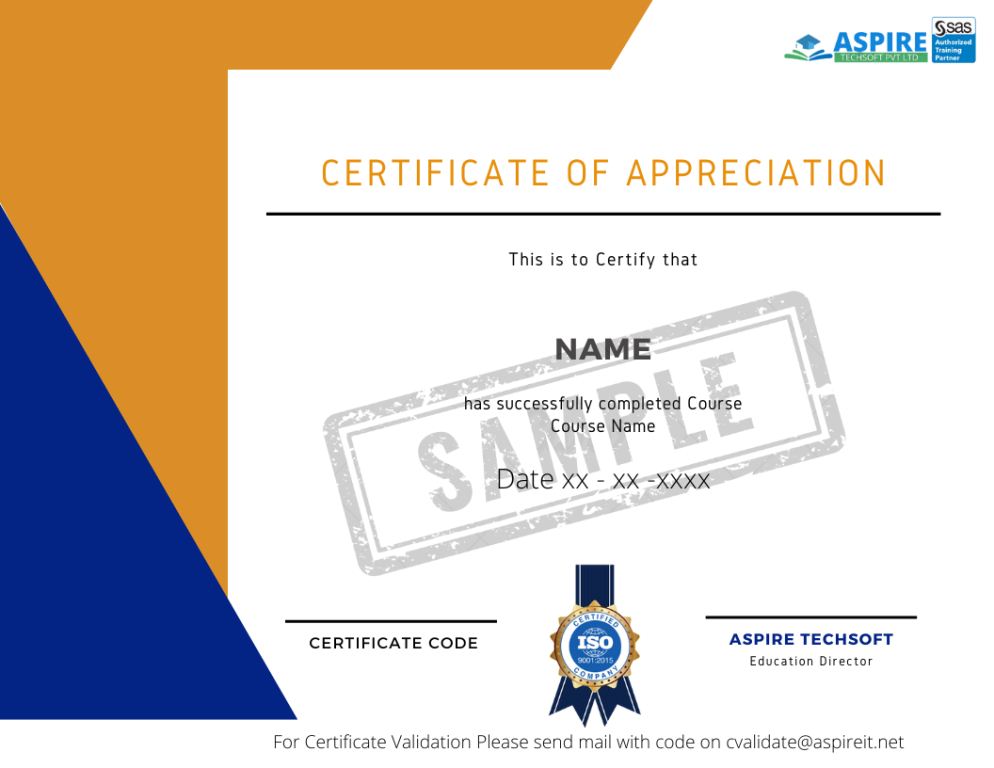
Get the module-wise Data Analytics syllabus for Chennai learners
Get the Full CurriculumStudent Reviews

I learned sap mm here. It was a great learning experience. The course syllabus and teaching style is great. They also provide the best job assistance program. I highly recommend Aspire Techsoft for sap!!
This is the best institute to learn Any SAP Module. I complete SAP ABAP training from this institute. The experience was so good & best thing is that Sir teach everything from basic. I will suggest this institute who had an interest to learn any SAP module. The other thing is staff, they teach not only subject but also important things about you career and always ready to help. Thank You!
I completed SAP ABAP training here. I proudly say that aspire help me a lot in my career. I like the training quality, study materials with placements calls. they teach me the basics to advance concepts in SAP ABAP.
My name is snehal fale I have completed SAP abap course Tranning in pune from aspire techsoft. There Teaching and Best SAP ABAP training provided here as there syllabus itself is so job oriented. It's very good sap tranning institute, very supportive staff blindly you can go for it. I recommend best IT training institute in pune.
Overall a very informative training session. Course content got well covered and also demonstrated the concept very well. Faculty is very supportive . Thanks for such an informative and concept-clearing training session.
Excellent training, Trainer was good, staff also co operative .. Thanks ATPL
It was a great experienced in Aspire Techsoft. Best SAP MM Training in pune because it provides internship facility for freshers. I got a real-time experienced of working in sap system.
Learn SAP HR form here. Trainer gives sufficient time with practical sessions until get convinced.
I completed my sap fico course from aspire techsoft. The management and trainer was supportive & friendly. It was a great experienced in sap fico trianing here.
learned sap mm online, Nice & friendly staff..Best Institute for SAP MM in pune.
I am a non technical background, no previous experienced in codding. They clearly gives the brief concept so that i can easily catch up. Aspire provides the best placements for sap sd course
The Basis sessions were clearly thought. I recommend this institute for SAP training in pune.
It was a best experience at this place with well learned and trained expert faculty related to SAP ABAP module.
As a student, I learned SAP MM Online. Instructors are very well and helpful.
Excellent Training Quality, I did SAP Course from here. Specially thanks to Mr. Niesh sir they cleared my doubts practically. I like the course scenarios, study content, teaching way, and the best placement supports of this institute. Thanks to build my career.
Good Placement Service for sap mm in Pune. Best study material by highly experienced consultants, Thanks Aspire.
completely satisfied with the sap mm course at Aspire Techsoft.
best sap mm online training institute in Pune, I will recommit to my friends that Aspire is best for SAP MM training in Pune.
Just completed SAP MM Training Last month. and Today I got a job in a very best SAP Corporates.
My experience while learning SAP mm in Pune was really good. Trainer has in-depth skills & explains the topics with good & practical examples.
I had learned SAP MM course and I have got good training with the well-experienced real-time faculty.
I am from Mechanical background, I have completed my SAP mm training from Aspire Techsoft. The trainer covered all the topics with real-time examples. it helps me to understand sap mm very easily.
SAP is the best platform for career growth opportunities. Best faculty for SAP MM course in Pune.
I completed SAP mm online training from aspire techsoft. The overall experience was very good.
It was a great experience. Management Staff is very kind and helpful, e which helps me to get better placement opportunities for sap mm.
Aspire is the best place to get SAP training and Placements. A huge thanks to the entire team training for all their assistance and support.
The sessions were clearly thought. I recommend this institute for SAP mm training in Pune.
My training at aspire techsoft very effectively. The faculty with management was very friendly and supportive.
Aspire Techsoft is the right place to begin the SAP MM career. I did SAP MM Training. Now i am working as an SAP MM Consultant, i would like to recommend those who are interested in SAP Aspire is best.
I Completed my M.com 4 Months ago.It was a great experience to learn SAP fico training in pune at here. After training support and interview preparation session was awesome.
They have best facility for SAP FICO they helps in training, interview preparation and placement.
I did sap ui5 course here. I had a great learning experience.
Best sap training for simple logistics with great labs for practice.
Excellent practical training with a good institute for sap placement.
I did sap Hana training here, good quality training with placement assistance.
It was nice to learn the SAP FI course here. also the location is very good.
Best SAP HR Training in Pune. The faculty is really good, with Live projects experience in SAP HR. Thanks, Aspire
I completed the SAP PP form aspire techsoft. Best Lab facilities with management.
Great place to learn sap MM in Pune. I am a Mechanical Student, I completed sap mm here. Great place to learn sap MM in Pune.
Training is well. The study material provides is very helpful to understand. Thanks aspire.
Best sap ABAP training center. The faculty is very friendly to covers all the topics about it. If you really wish to learn, join This institute.
I have Joined This institute for the SAP SD course based on my friend's reference. The trainer is excellent with friendly management.
I completed sap sd online training here & their faculty gave me proper & timely guidance in most difficult COVID situation. thanks aspire.
Aspire Provided me best training facility for SAP Basis Course & supportive placement team.
Aspire Provided me best training facility for SAP Basis Course & supportive placement team.
I completed SAP ABAP here. Excellent trainers with supportive placements team. thanks aspire.
I completed Aws developer training here, very good trainer & supportive.
Good institute for sap fico training in Pune. I completed fico training here.The instructor was excellent in explaining things clearly & provide complete assistance.
Excellent institute for SAP ABAP course
Well teaching and trainer.
i have done my sap mm course from aspire, It was very good experience, Nilesh sir is very nice, co operative person , Thanks Aspire Team..
Amazing experience with Nilesh sir, He gave me lot of knowledge. I get chance work on support issue.
best abap classes in pimple gurav
I am suraj dubey lives in pimple saudagar. I have don my abap course from aspire. It is very good training institute and they provide very good teaching faculty.
good for web designing.
best in pune. thank you aspire
best faculty. like this institute
good atmosphere, well-experienced staff.
Great institute for java hibernate training
good experience. good teaching staff. good for java hibernate.
faculty = good institute = good
good training in big data.
Good teaching staff.Better workplace for learning.
Good atmosphere and good teaching facility.
teaching is good n experienced staff are allocated
this mm training is very best .
staff is nice and teaching is also very good.
this is good institute .teacher also good
Good methods of teaching.
This is good institute.as per my point of view all lecture are good
nice experience and teaching staff is well experienced so uderstand easily
Excellent!!! Staff & guidance
This is good institute.as per my point of view all lecture are good& understandable.
the classroom is very good faculty.
VERY GOOD GOD WILL Definitely BLESS YOU. DONT WORRY
practical session was good. staff is very co operative with students.
good experience in class. the faculty is good.Help to improve y knowledge
Very good faculty & good environment.
according to me SAP-ABAP teaching is good and good experince
teaching experience is good but lack of communication knowledge. doubts are cleared on the spot.
At Aspire Techsoft, I did SAP ABAP course. The staff of Aspire is very supportive.
Had a Better Learning experience. Would Recommend if anyone is looking for SAP FI Training
Good teaching staff, concepts are cleared through practical examples. thank you for providing good teaching facility.
Nice Training.and we can learn more new things in institute. training for big data is good.
faculty teaching good and I got trained in HANA here.
I have done SAP ABAP from Aspire.Faculty is too good...nd they solve the problem.They always ready to support.They give the opportunity for the students.
Good Institute, great faculty and trainers.
Its best experience to me doing SAP ABAP in that institute. Our Training Faculty is very Hardworking......its my great choice for the training.
Its best experiance to me doing SAP ABAP in that institute. Our Training Faculty is very Hardworking......its my great choice for the training.
Good for Software Tesing.. .I would prefer Aspire techsoft for people searching for software testing training
Good atmosphere and nice teaching faculty.
The teaching is very good and every doubt is solved by a professional person. Aspire is really too good. Worth the value.
Quality education with good experience of infrastructure ..Good faculty with excellent knowledge..
Great faculty support and in depth review.weekend shift was good for me so it took 3 months for the course to complete. overall good centre to get uyourcertifications done from. Best course content with Interview perspective.
It was the Right Choice made to Join Aspire Technsoft. I'm Undergoing SAP FICO Module. The Trainee is Well Experienced and share all the Skills and his own Experiences. Its a well Balanced. Hoping for Good Placement
I have completed SAP FICO training. Good experience with the faculty. over all practical oriented training.over all experience with aspire is good .
Easily got the job after successfully completing the course from here. Aspire Techsoft helped me in placement.
.net course syllabus complete all modules here. I am happy that I have joined Aspire Techsoft
Training was pretty good here. learn seo tactics and adwords in very easy understanding.
Got SEO job with the help aspire techsoft placement. Thank you aspire.
I've learned Digital marketing here. It was great experience, they covered all topics in digital marketing
Thanks aspire techsoft for providing CodeIgniter course.
PHP CodeIgniter course really helps me in developing a dynamic website. Proud to be Aspirant.
Learning here is fun. I learn PHP coding easily here.
Real practice with absolutely no time limit. Best training from experts.
Best practices with real time examples. Got lots of knowledge from here.
Super training provided here. I must suggest it.
Great teaching faculty. expert in teaching.
Best training institute for spring java. learned in depth from expert teachers.
Well teaching staff. understood all concept.
Completed my course within timescale and placed in a company with the help of Aspire techsoft placement.
Great training and staff.
Happy to learn software testing here.. thanks to teaching faculty for sharing new techniques that is really helping me in job.
Thanks, nice facility here. best practice. great guidence
Aspire techsoft assist me in placement and has really good teaching faculty.
great place to learn software testing. They also provide placement assistance.
Cleared all concept in testing. great teaching staff.
Learn all software testing modules with practice. Thanks aspire for providing great practice sessions.
Best training institute in Pune. Clear my doubts. Thank you aspire.
I am BE graduate and I've done aws course in seeking of new technology. It was the right decision. Thanks to aspire
Started my early career as IT engineer but after completing AWS course I am very satisfied with my job.
I was quite happy about my career. Now I am professional in Ab Initio
Good faculty for Informatica. I choose the right career here.
Thank you aspire techsoft for your placement assistance.
It was great experience here and happy to join aspire.
Nice institute and best faculty.
Proud to be Aspirant. Completed my BW course here and I am satisfied with training and placement.
Came from Nagpur to Pune and join aspire techsoft. It was great experience here and currently working as in SAP Hana.
Best Institute. Fine classroom and well supportive teaching staff.
Aspire Techsoft helped me in placement assistance and I finally got my dream job.
I completed my graduation in IT and join Aspire Techsoft for SAP WM. Great teaching staff and help in interview preparation.
Got selected for Project manager with the help of aspire techsoft placement. Thank you Aspire.
Completed my certification in advance sap pm, and I am very happy with Aspire Techsoft Faculty.
This place is so good for a career in sap. New tactics can be learned here.
Best training institute in Pune for SAP ABAB. Gain pretty good knowledge from here.
Happy to join aspire techsoft for SAP workflow. Awesome learning here
Must learn sap workflow from here. Great staff with great teaching facility.
best institute for SAP PM. I've learned so many things that is helping me in my company.
nice training institute for finance. thank you aspire..
Great course for management students. Thanks to aspire techsoft
I've learned HR course from Aspire Techsoft. It was really good experience and I've got selected in MNC company.
I join SAP Basis course here and got selected in in reputed company
Thanks for Aspire Group making my career successful...i learnt so many thinks from aspire.
I did the course from Aspire ....Faculty is too good ..aspire help me for placement cell also...
Best institute in pune,every thing they have mention has given,proper word to word they have given facilities to me what they have told me before joining. Aspire is one of the best institute for SAP ABAP in pune.proper guideline and projects to work has been given from Aspire
Aspire was very cooperative in every term ie Training,Staff,Faculties etc,Aspire has given every thing in training what is required to student ,Experienced Faculty,projects,Study material,Infrastructure. I am very happy that i have chosen Aspire for PHP training,
Aspire has given proper training as required to learn about GRC security,Experienced faculty has been provided so that student can learn easily with proper knowledge.
Aspire has given proper training as required to learn about GRC security,Experienced faculty has been provided so that student can learn easily with proper knowledge.
i have taken good experienced from Aspire,AS the way i wanted training,they have provided. Experienced faculty has shared their live examples,training was very good they have covered each and every thing related to course. over all satisfied from training
i have taken good experienced from Aspire,AS the way i wanted training,they have provided. Experienced faculty has shared their live examples,training was very good they have covered each and every thing related to course. over all satisfied from training
Aspire has provided both practical and theoretical training,staff was cooperative,faculty was highly experienced in SAS, good training i have got from ASpir
when i have Joined Aspire, they have given the list that this all we provide to student,i doubted,but i was wrong Experienced faculty-provide proper training-provided proper infrastructure-given Staff support-provided Faculty support-provided Job support-provided Study material-provided All the things what they have mentioned they have provided accordingly.
Aspire has given proper guidelines,by seeing my background that which course will be beneficial for me in future,Now as i am doing SAP ABAP course,so i am feelling that they have guided me correctly as per market condition Experienced Faculties,Staff support,Less Fees
I got training from Experienced faculty,he trained us with Theoretical And Practical knowledge A part from this sir shares his live example which help us to learn more about the SAP fico course, Overall Best IT Institute in pune
I was firstly bit of nervous about the course,how i will do,Aspire has given proper training and they have removed all my nervousness and they have provided Such a wonderful Training,I felt SAP FICO is very much Easy course
Aspire has provide all the things as they have told me in beginning,means Practical knowledge & work on real time project
Aspire has provide all the things as they have told me in beginning,means Practical knowledge & work on real time project
The faculty was very supportive,They have solved Every Query of mine,The training what they have given was very good
I got Training with Experience Faculty And I got both Practical as well as Theoretical Knowledge, What i was looking i got here Thanks for wonderful Training
I joined aspire with SAP FICO course.I am happy with training , Thanks to Pramod sir
I joined aspire with SAP FICO course.I am happy with training , Thanks to Pramod sir
I have done SAP ABAP from ASPIRE. The trainers were experienced with great support
I done SAP PP.Courses are taught by expert practitioners and your learning will be shaped by their practical experiences
The best institute for SAP PP. it provides a good platform to sharpen your career.
i did PP from aspire. teaching was nice n understandable. faculty was supporting.
I have done SAP BASIS course from Aspire.Faculty was good.
ABAP training was good.All syllabus covered in time with more practical
SD teaching was nice & mostly focused on practical knowledge. all doubts were cleared by faculty.
I did SAS course from Aspire. it was a good learning experience.
I got good training in big data.faculty was good & learning nice.
i did SAP GRC Security course in Aspire..it was great learning experience.
It was good experience learning APO in aspire. The trainers were experienced & teaching was good.
I did WM course from aspire .Good teaching staff.Better workplace for learning.
I have done SAP PM from Aspire. Good atmosphere and good teaching facility.
good Training Institute , recommended for advanced training institute
Teaching is good n experienced staff are allocated. Aspire is really good institute for SAP UI5.
I have done FIORI from Aspire.Staff was nice and teaching was also very good.
This is a good institute for Advance ABAP training .teacher were also good & well experienced.
Training is good for Big Data.Faculty is also good.More focus is on practicals.
nice experience and teaching staff is well experienced for SAP PM so understand easily
This is good institute for SAP FICO .as per my point of view all lecturer are good & understandable.
I have done SAP PP practical session was good. staff was very co operative with students.
SAP MM learning experience was good.. doubts were cleared on the spot.
I would like to thanks to Aspire Hadoop development training.I got good training. tutor was very good, Thanks to Aspire. Helpful?
Training is good for Big Data.Faculty is also good.More focus is on practicals.
Nice Training.and we can learn more new things in institute. training for big data is good.
SAP SD teaching staff was good. concepts are cleared through practical examples. thank you for providing good teaching facility.
Had a Better Learning experience. Would Recommed if anyone is looking for SAP FI Training
Good for Software Testing.. .I would prefer Aspire techsoft for people searching for software testing training... .
- The SAP BASIS teaching is very good and every doubt is solved by a professional person. Aspire is really too good. Worth the value.
Great faculty support and in depth review.weekend shift was good for me so it took 3 months for the course to complete. overall good center to get your certifications done from. Best course content with Interview perspective.
According to me SAP-ABAP teaching is good and good experince
i have done ABAP in aspire techsoft ,good teaching in details good faculty
At Aspire Techsoft , i did SAP ABAP course. Staff of Aspire is very supportive.
Its best experience to me doing SAP ABAP in that institute. Our Training Faculty is very Hardworking......its my great choice for the training.
I have done SAP ABAP from Aspire.Faculty is too good...and they solve the problem.They always ready to support.They give the opportunity for the students.
Recruiters



























































SUCCESSFULL PLACED STUDENT'S
Know more about Successfull Students ...


GCC and SaaS-Style Data Analytics Mock Interviews in Chennai
Chennai mock interviews follow the pattern of OMR capability centres and SaaS companies: an online test on SQL, Excel and statistics, a technical round where you query data and explain a dashboard, a product or operations case study, and a managerial round on documentation and teamwork.
Every mock round ends with written feedback from an industry analyst — what to keep, what to cut and how to answer the follow-up questions that usually catch Chennai candidates out.
Frequently Asked Questions: Data Analytics Course in Chennai
Choose a course that starts from Excel and statistics, covers SQL, Power BI or Tableau and Python, and makes you build projects. Aspire Techsoft's Data Analytics Course in Chennai does this in about four months with 5+ projects, an internship component and placement assistance. Learners from Tambaram, Avadi, Chengalpattu, Kanchipuram and Velachery can join classroom or live-online batches.
Yes. Aspire Techsoft offers its Data Analytics course in Chennai with placement assistance, including resume and LinkedIn improvements, mock interviews with working analysts, access to our POD hiring platform and referrals to openings across Chennai's main employer groups.
You receive an Industry-Recognized ISO Course Completion Certificate from Aspire Techsoft after passing the module assessments and finishing the capstone. Aspire Techsoft is not an accredited training partner of Microsoft, Tableau or any other vendor, so official vendor exams such as PL-300 are separate and booked directly with the vendor if you choose to take them.
Yes. Chennai is one of India's tier-1 GCC markets and has strong SaaS, healthcare and manufacturing sectors. Employers favour candidates with solid SQL, statistics and well-documented projects.
OMR from Perungudi to Siruseri has the most GCCs, SaaS firms and IT campuses. Guindy and Olympia Tech Park host BFSI and consulting teams, Porur and Manapakkam have more tech parks, Ambattur has industrial and IT firms, and Sriperumbudur–Oragadam has automotive and electronics plants.
Yes. The course explains concepts step by step, starting with Excel, and trainers can clarify difficult ideas. Many non-IT graduates move into reporting and business analytics roles.
No prior coding is required for the Chennai batch. You start with Excel and plain-English SQL, and Python is introduced gradually once your foundation is solid.
Yes. Plants in Sriperumbudur and Oragadam use analysts for quality, production and supplier performance. Our labs include defect and output data so you can speak to this work.
About 16–18 weeks end to end, from Excel and SQL through BI tools and Python to GenAI labs, internship work and a final Chennai-focused capstone.
Both are strong. Product analytics at SaaS firms suits people who enjoy user behaviour and experiments; BFSI analytics at GCCs suits those who like risk, operations and structured reporting.
Yes. A dedicated module covers Microsoft Copilot, Google Gemini, ChatGPT and Claude, how large language models work, prompt design, validating AI output, data privacy and an introduction to agentic AI, with a SaaS lab.
Yes. The live-online batch mirrors the classroom one — same modules, projects and placement assistance — with recordings for every session, so learners in Tambaram, Avadi, Chengalpattu, Kanchipuram and Velachery can join.
Yes. Weekend and live-online batches with recordings let OMR and Guindy employees complete the course alongside their jobs.
Most data analyst freshers in Chennai earn about ₹28,000 to ₹50,000 a month, roughly ₹3.5–6 LPA. GCCs and SaaS companies usually pay toward the upper end, especially for candidates with Python and product-analytics projects.
Request for Course Information
Our Location
Kothrud
Pune
Koramangala
Bengaluru